7 DDR5 Overclocking Tips for Faster Stable Memory

Time:2026-10-01 Author:Oliver
0%

DDR5 can deliver impressive bandwidth, but higher numbers do not automatically mean a better daily system. A careless memory profile may boot Windows, then fail during a game, compile, or overnight workload. This DDR5 overclocking guide focuses on practical stability, not dramatic screenshots. It treats every frequency increase as a controlled experiment.

Buildzoid, a widely followed memory-overclocking educator, often stresses this principle: “Test stability, not just performance.” That idea shapes the advice here. Small changes matter. A modest voltage adjustment, looser tREFI setting, or slightly relaxed secondary timing can prevent silent errors. Your motherboard, processor’s memory controller, and DIMM layout all influence the result. Two identical kits may behave differently in different systems.

Expect a little frustration. My first instinct was always to chase frequency. That was not always wise. A system that reaches DDR5-7200 but crashes after ten minutes is not genuinely faster. Begin with the rated EXPO or XMP profile, record every setting, and change one variable at a time. Watch DRAM temperature near the modules, especially inside a compact case. Test with demanding tools such as TestMem5, Karhu RAM Test, or extended real-world workloads. No single test proves perfection.

The seven tips ahead cover frequency selection, memory-controller limits, voltage balance, timing adjustments, cooling, validation, and sensible rollback plans. They are designed for enthusiasts who want measurable gains without sacrificing reliability. Proceed slowly. Stability is the goal.
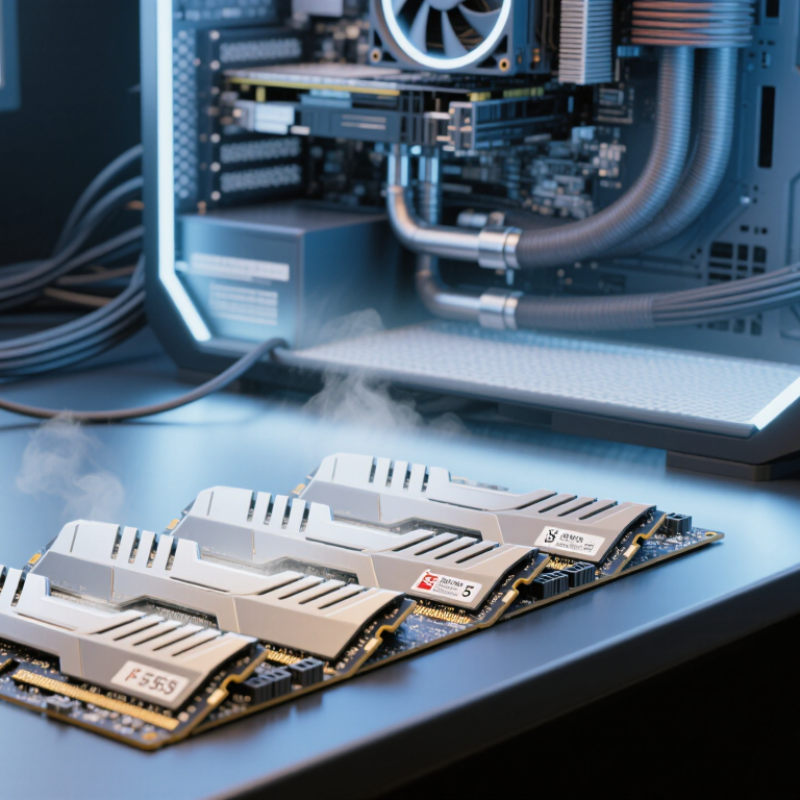
7 DDR5 Overclocking Tips for Faster Stable Memory

DDR5 Overclocking Fundamentals and System Compatibility

7 DDR5 Overclocking Tips for Faster Stable Memory

DDR5 overclocking begins with system compatibility, not voltage. Check the motherboard’s memory list, processor memory controller, firmware version, and module capacity. JEDEC’s JESD79-5 standard defines DDR5 data rates up to 6,400 MT/s. Higher profiles depend on the complete platform, not the memory kit alone. Two identical modules usually stress the controller less than four mixed modules.

Tip: Update firmware before tuning. Save the default profile first. My early mistake was raising frequency immediately. The system booted, yet large file compression failed after twenty minutes. That result was not stable. Record frequency, primary timings, voltage, temperature, and test duration after every change.

Tip: Increase speed gradually. A small step can reveal the platform’s limit. Keep memory voltage within the module maker’s documented range, and watch the processor’s integrated controller temperature.

Tip: Test each profile with several tools. Use a bootable memory test, an operating-system stress test, and a real workload such as video encoding. One benchmark is not proof.

Industry testing also supports caution. JEDEC’s DDR5 specification separates standard operating conditions from optional performance profiles. Market analysis from TrendForce has repeatedly linked DDR5 adoption with newer desktop and server platforms, but compatibility still varies by firmware and module density.

Tip: Test cold boots and warm restarts.

Tip: Check sleep recovery.

Tip: Keep a known-good profile.

Tip: Recheck stability after firmware updates, because training behavior can change.

Preparing BIOS, Hardware, and Cooling for Memory Tuning

Stable DDR5 overclocking begins before changing a multiplier. JEDEC’s JESD79-5C standard lists data rates from 3,200 to 6,400 MT/s for standard DDR5. Treat that range as a reference, not a promise. Update the BIOS, load default settings, and record the current profile. Check firmware notes for memory compatibility improvements. Use matched modules with identical capacity, timings, and voltage. Avoid mixing kits. It often works, until it does not.

Enable the memory profile only after confirming baseline stability. Increase frequency in small steps, such as 200 MT/s. Keep primary timings unchanged at first. Set memory voltage manually within the manufacturer’s published limit. Watch controller and system-agent voltages separately. Do not raise both aggressively. Keep a recovery path through clear-CMOS or firmware backup. Test every step with cold boots, extended stress testing, and an overnight pass. My mistake was trusting one quick benchmark. It passed, then crashed during file compression.

Cooling deserves equal attention. ASHRAE TC 9.9 guidance recommends server inlet temperatures around 18–27°C; a hot desktop case leaves less tuning margin. Use two clear intake paths, remove dust, and direct airflow across the memory area. Check temperatures during sustained testing, not idle browsing. Lower frequency when errors appear. Stability matters more than a screenshot. JEDEC data is standardized; your silicon is not. Leave margin for summer heat, aging, and imperfect monitoring.

7 DDR5 Overclocking Tips for Faster Stable Memory - Preparing BIOS, Hardware, and Cooling for Memory Tuning

Tip Optimization Focus Recommended Starting Point Key BIOS or Hardware Action Stability Check Cooling and Safety Notes Expected Practical Benefit
1 Update and prepare the BIOS Use a current stable BIOS release and record the default memory settings before tuning. Load optimized defaults, enable the memory profile only after confirming the system can boot at stock settings, and save a separate BIOS profile. Complete several normal boots, check that the full memory capacity is detected, and verify the operating system reports the intended memory speed. Keep a way to clear CMOS or restore a saved profile. A failed memory setting can prevent normal booting. Improves compatibility and makes failed experiments easier to reverse.
2 Start with frequency before timings Increase memory frequency in small steps, typically one standard ratio at a time. Keep primary timings on automatic initially, then manually set them once a target frequency is found. Run a short memory test after each major frequency change before proceeding to longer validation. Higher frequency can require more memory-controller voltage and may reduce stability even when the system appears to boot normally. Provides a clear baseline and helps identify whether frequency or timings are causing instability.
3 Tune primary timings methodically Begin with the profile's rated primary timings, then reduce one timing at a time. Adjust CAS latency, tRCD, tRP, and tRAS separately. Record every change and return to the last stable setting after an error. Use repeatable memory testing after each timing adjustment; one error is enough to classify the setting as unstable. Tighter timings increase workload on the memory modules and memory controller, sometimes requiring additional voltage and airflow. Can reduce latency while preserving the selected memory frequency.
4 Balance memory and controller voltages Use the lowest voltage that passes testing; make small changes rather than large jumps. Adjust memory voltage and the processor's memory-controller-related voltage only when testing indicates a need. Avoid leaving every voltage on maximum. Check for both calculation errors and intermittent application crashes during extended testing. Voltage increases raise heat output and long-term stress. The safe limit depends on the processor, memory type, motherboard, and cooling system. May improve stability at higher frequency or tighter timings without unnecessary heat.
5 Improve module airflow Maintain steady case airflow across the memory area, especially in compact or high-temperature builds. Keep front and rear case fans balanced, avoid blocking the memory modules, and consider a low-speed fan directed toward the DIMM area for demanding tuning. Monitor memory temperature during long tests and compare results with the side panel installed. Excessive heat can cause errors that do not appear during short benchmarks. Avoid placing a fan so close that it creates vibration or cable obstruction. Reduces temperature-related errors and improves repeatability during extended workloads.
6 Test with multiple workloads Use a short test for iteration and a long test for final validation. Combine a boot test, a dedicated memory test, a mixed CPU-and-memory workload, and several hours of normal applications or gaming. Validate for at least several hours after the final change; longer testing is preferable for systems used for important work. A successful boot or benchmark does not prove stability. Different tests expose different weaknesses in memory, the controller, and the motherboard. Reduces the chance of silent data errors, crashes, and application instability.
7 Keep a stable fallback profile Save one conservative profile and one tuned profile before making further changes. Document frequency, primary timings, major voltages, command settings, and test results. Change only one or two variables per session. Confirm that the fallback profile boots and passes a basic stability check before experimenting further. Mixed memory kits, fully populated slots, and aggressive settings can reduce overclocking headroom. Stability is not guaranteed across every system. Shortens recovery time and makes troubleshooting more systematic and repeatable.

Adjusting Frequency, Timings, and Voltage Step by Step

DDR5 overclocking works best as a measured sequence, not a blind speed chase. Start with defaults. Record frequency, timings, voltage, and temperatures. JEDEC’s JESD79-5C specification lists 1.1 volts as the nominal DDR5 supply level. Treat that value as your baseline, not a guaranteed overclocking limit.

Increase frequency in small steps, such as 200 MT/s. Boot and run a five-minute memory test after each change. If errors appear, reduce frequency or raise voltage slightly. Change one variable. My first mistake was changing frequency and timings together, which made the failure impossible to diagnose. Keep primary timings loose during frequency testing, then tighten them gradually. Lower values can improve latency, but they often reduce stability faster than expected.

Set voltage conservatively, using temperature as a warning signal. Sustained heat above the module’s tested range deserves attention. The JEDEC DDR5 data sheet also separates VDD, VDDQ, and auxiliary rails, so avoid treating every voltage as interchangeable. After reaching a target speed, test with a bootable memory tester and several hours of operating-system workloads. A single successful boot proves very little. Save each stable profile. If the system crashes, return to the last profile and adjust only one setting. Perfect results are not always practical; a slightly slower configuration may deliver better daily reliability.

Testing Stability and Identifying Memory Errors

Stable DDR5 overclocking starts with disciplined error detection, not higher frequency. Change one setting at a time, then record voltage, timings, temperature, and test duration. Keep the baseline profile available. A clean boot proves little.

Use a bootable memory tester for several passes, followed by an operating-system stress test. Test after a cold start, not only after warm reboots. Watch for corrected errors, application crashes, corrupted archives, and sudden restarts. DDR5 on-die ECC can correct some internal faults, but it does not guarantee system-level stability. That distinction is often missed. Very short tests can also create false confidence.

Industry evidence supports caution. A large field study reported correctable DRAM errors in 8.2% of tested DIMMs and uncorrectable errors in 0.22% annually (Schroeder, Pinheiro, and Weber, SIGMETRICS). Those figures describe normal systems, not overclocked memory, but they show why error monitoring matters. JEDEC’s DDR5 specification also separates on-die correction from full platform error correction (JESD79-5). In practical testing, eight hours without an error is useful, but not absolute proof. I have seen marginal settings pass synthetic workloads and fail during the next morning’s cold boot. Reduce frequency or relax timings when errors appear. Retest after each adjustment. Real stability is repeatable.

Refining Profiles for Reliable Everyday Performance

Reliable DDR5 tuning starts with the profile, not the highest advertised number. JEDEC’s JESD79-5C specifies data rates from 3,200 to 6,400 MT/s for standard DDR5 operation. That range is a reference, not a promise for every processor and motherboard. Save the default profile. Record voltage, timings, boot time, and room temperature before changing anything. Change one variable at a time. Lower memory speed before raising voltage aggressively.

For dependable daily performance, test the selected profile with a full memory pass, several cold boots, and your actual applications. Short benchmark loops can miss errors after heat builds. Run at least four passes when convenient, then repeat after a cold start. Watch for application crashes, corrupted archives, and rare browser tabs. These are stability signals. Keep command rate and timings conservative when capacity is high. Two populated channels may behave differently from four.

A reliability mindset matters beyond benchmarks. The Uptime Institute’s 2024 Annual Outage Analysis reported that 54% of surveyed outages cost more than $100,000, although the report covers broader infrastructure failures. It still illustrates the value of preventing avoidable instability. Keep a known-good profile. Label each revision. If a small performance gain requires repeated recovery screens, it is not reliable performance. My own tuning notes sometimes confuse voltage with temperature. That mistake deserves attention.

DDR5 Overclocking Profiles: Faster Speed with Practical Latency

Higher data rates increase theoretical bandwidth, while tighter timings can reduce first-word latency. These non-brand profile examples illustrate how to refine DDR5 settings for reliable everyday performance.

Bandwidth is calculated as data rate × 8 bytes per transfer per channel. Approximate first-word latency is calculated as CAS latency × 2000 ÷ data rate, measured in nanoseconds. Higher frequency is not automatically better if stability requires excessive voltage or relaxed timings.

FAQS

What should I check before overclocking DDR5 memory?

Check the motherboard memory list, processor controller, firmware, and module capacity. Two matching modules usually create less stress than four mixed modules. Start with compatibility.

Should I update firmware before tuning memory?

Yes. Update firmware, then save the default profile. Memory training can change after updates. Recheck stability afterward. I once increased frequency first and missed this step.

How should I increase DDR5 frequency safely?

Raise speed in small steps, such as 200 MT/s. Boot after every change. Run a short memory test before continuing. Small steps expose the platform’s limit.

Which settings should I change first?

Change only one setting at a time. Test frequency with relaxed primary timings first. Tighten timings gradually after reaching a stable speed. Changing everything together makes failures difficult to diagnose.

How should I handle memory voltage?

Treat the standard voltage as a baseline, not an overclocking target. Stay within the module’s documented range. Monitor memory and controller temperatures during longer workloads. More voltage is not automatically better.

What tests can confirm a stable DDR5 profile?

Use a bootable memory test and an operating-system stress test. Add real work, such as video encoding or large file compression. One benchmark proves very little. Test for hours.

What stability signs should I watch for?

Watch for failed boots, application crashes, corrupted archives, and browser tabs closing unexpectedly. Test cold boots, warm restarts, and sleep recovery. A system that boots once may still be unstable. The warning can appear twenty minutes later.

What is a practical everyday DDR5 profile?

Choose reliable performance instead of the highest displayed speed. Record frequency, timings, voltage, temperature, boot time, and test duration. Keep a known-good profile for quick recovery. A slightly slower setting may work better daily. My notes sometimes confuse voltage and temperature.

Conclusion

This DDR5 overclocking guide explains how to improve memory performance while preserving dependable system operation. It begins with the fundamentals of DDR5 tuning, including checking processor, motherboard, and memory compatibility before making changes. Readers will learn how to prepare the BIOS, verify hardware settings, improve airflow, and ensure adequate cooling. The guide then presents a careful process for raising memory frequency, adjusting timings, and setting voltage in small, controlled steps.

After each adjustment, stability testing is essential. The article covers practical ways to identify crashes, boot failures, corrupted data, and memory errors, helping users distinguish between an unstable setting and a separate system problem. Finally, it shows how to refine a working profile by balancing speed, latency, voltage, temperature, and everyday reliability. Rather than chasing the highest benchmark result, the goal is a stable configuration that performs consistently during gaming, productivity, and extended workloads.

Oliver

Oliver

Oliver is a seasoned marketing professional with a wealth of expertise in driving brand awareness and engagement. With a deep understanding of our company's product offerings, he consistently delivers high-quality content that enriches our professional blog. His insights not only shed light on......